@kirill-markin/chrome-auto-image-blocker
BThis repository contains a Chrome extension designed to block images on webpages with a simple click.
Install
agr install @kirill-markin/chrome-auto-image-blocker --target cursorWrites 1 file into .cursor/rules/, pinned to git-816949eb.
- .cursorrules
Document
Chrome Image Blocker
Repository Overview
This repository contains a Chrome extension designed to block images on webpages with a simple click. The extension helps reduce distractions and improve page load times by controlling when images are displayed.
Purpose
The main purpose of this extension is to:
- Block or show images with a single click on the extension icon
- Provide a quick visual indicator of the current state (images allowed or blocked)
- Improve browsing experience by reducing visual distractions
- Increase page load speed by preventing image loading
Repository Structure
manifest.json: Chrome extension configuration filebackground.js: Core service worker implementation of the extensionassets/: Icons and resources for the extensionicons/: Icons for the extension UIconnect.png: Icon for the connected state (images allowed)disconnect.png: Icon for the disconnected state (images blocked)
screenshots/: Example screenshots showing the extension in action- Contains examples from YouTube and Instagram
promo-image/: Marketing images for the Chrome Web Store
scripts/: Utility scripts for development and deploymentpackage.sh: Script to package the extension into a ZIP file for Chrome Web Store submission
icon.png: Extension icon displayed in Chrome toolbarLICENSE: MIT license fileREADME.md: Documentation and installation instructions
Key Features
- One-click toggle to enable/disable images instantly
- Visual indicator of current state through icon changes
- Simple, lightweight interface
- No setup required
Installation
- Clone the repository
- Load as unpacked extension in Chrome's developer mode
- Or install from the Chrome Web Store (if published)
Packaging for Chrome Web Store
To package the extension for submission to the Chrome Web Store:
- Run the packaging script:
./scripts/package.sh - The script will create a
dist/extension.zipfile containing all necessary files - Upload this ZIP file to the Chrome Web Store Developer Dashboard
Development Guidelines
- Maintain the simple, clean UI design
- Keep performance impact minimal
- Follow Chrome extension best practices
- Test thoroughly on various websites
Repository README
Describes kirill-markin/chrome-auto-image-blocker as a whole, which may contain artifacts other than this one. Where this artifact had no useful description of its own, its summary was taken from here.
Chrome Image Blocker
Repository Overview
This repository contains a Chrome extension designed to block images on webpages with a simple click. The extension helps reduce distractions and improve page load times by controlling when images are displayed.
Purpose
The main purpose of this extension is to:
- Block or show images with a single click on the extension icon
- Provide a quick visual indicator of the current state (images allowed or blocked)
- Improve browsing experience by reducing visual distractions
- Increase page load speed by preventing image loading
Repository Structure
manifest.json: Chrome extension configuration filebackground.js: Core service worker implementation of the extensionassets/: Icons and resources for the extensionicons/: Icons for the extension UIconnect.png: Icon for the connected state (images allowed)disconnect.png: Icon for the disconnected state (images blocked)
screenshots/: Example screenshots showing the extension in action- Contains examples from YouTube and Instagram
promo-image/: Marketing images for the Chrome Web Store
scripts/: Utility scripts for development and deploymentpackage.sh: Script to package the extension into a ZIP file for Chrome Web Store submission
icon.png: Extension icon displayed in Chrome toolbarLICENSE: MIT license fileREADME.md: Documentation and installation instructions
Key Features
- One-click toggle to enable/disable images instantly
- Visual indicator of current state through icon changes
- Simple, lightweight interface
- No setup required
Installation
- Clone the repository
- Load as unpacked extension in Chrome's developer mode
- Or install from the Chrome Web Store (if published)
Packaging for Chrome Web Store
To package the extension for submission to the Chrome Web Store:
- Run the packaging script:
./scripts/package.sh - The script will create a
dist/extension.zipfile containing all necessary files - Upload this ZIP file to the Chrome Web Store Developer Dashboard
How to Use
- Click the extension icon in your Chrome toolbar to toggle images on or off
- The icon will change to indicate the current state:
- Connected icon: Images are allowed
- Disconnected icon: Images are blocked
Development Guidelines
- Maintain the simple, clean UI design
- Keep performance impact minimal
- Follow Chrome extension best practices
- Test thoroughly on various websites
Screenshots
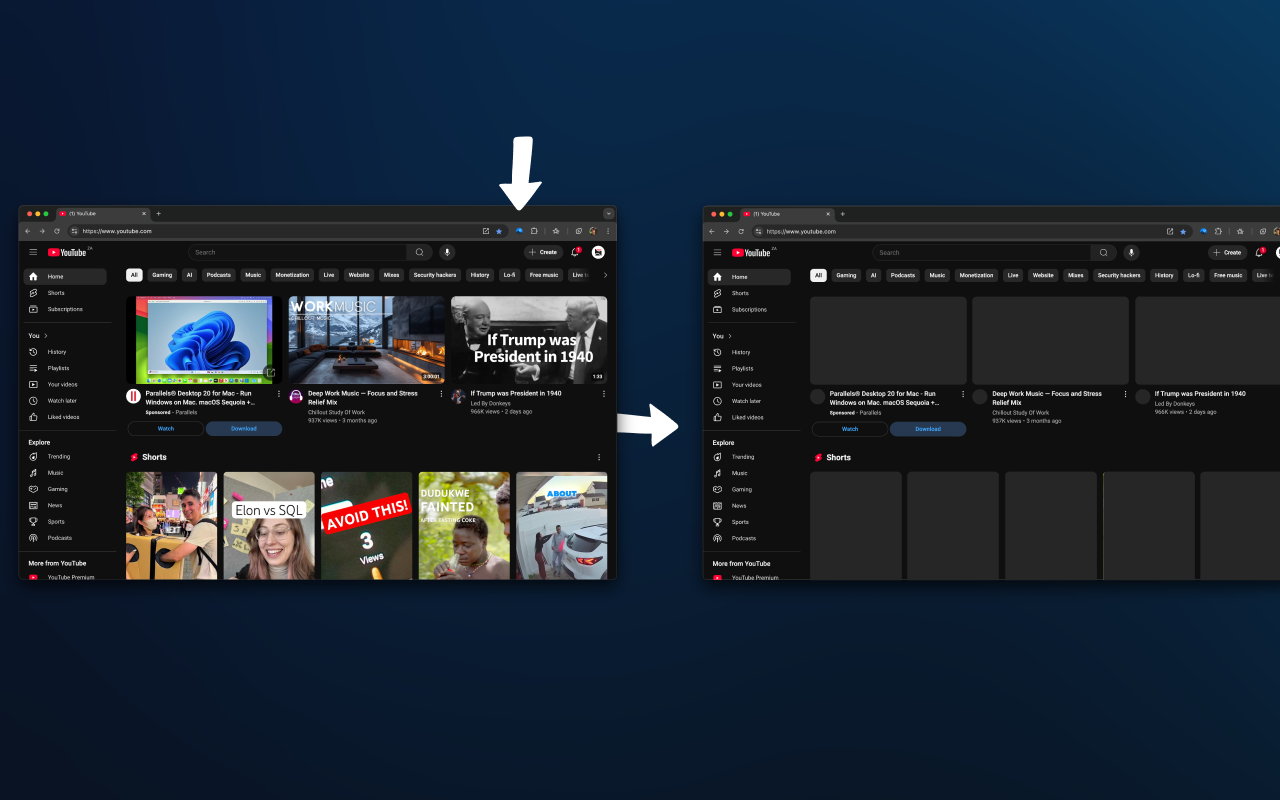 | 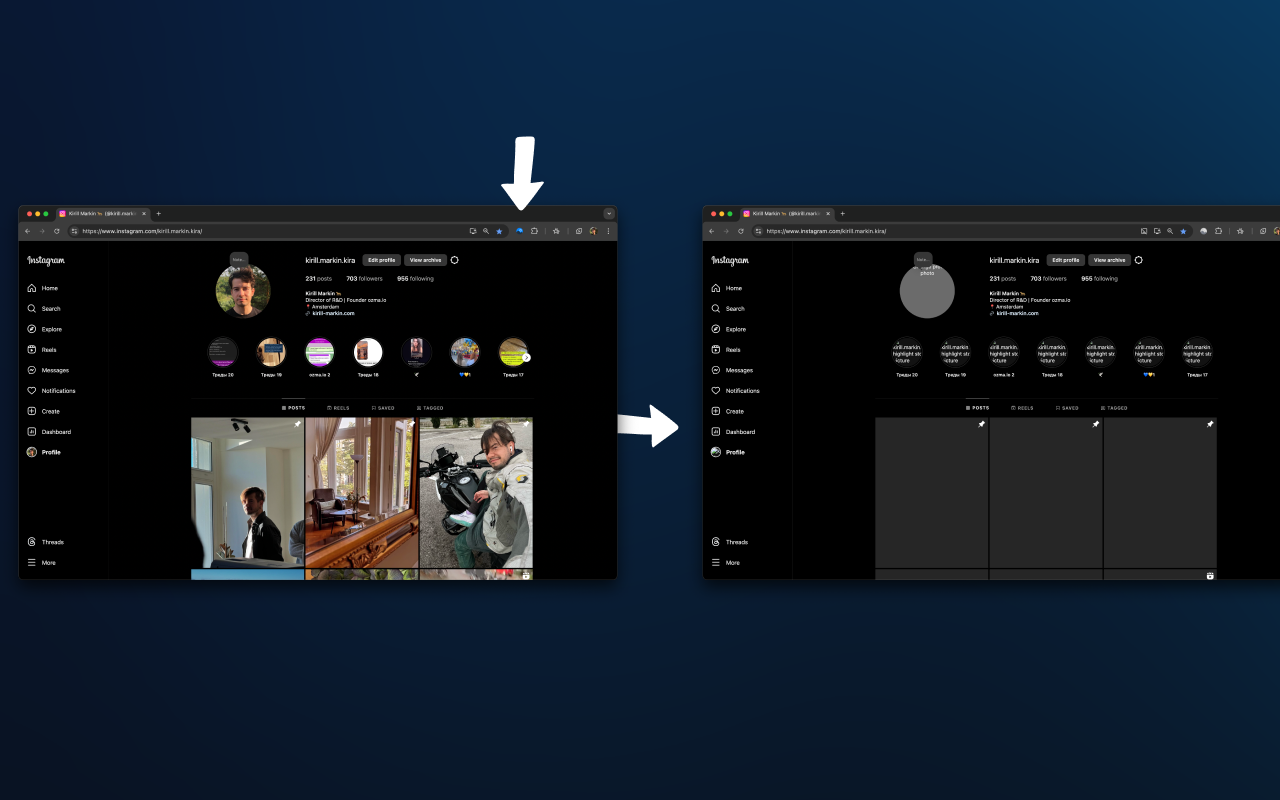 |
|---|---|
| YouTube example | Instagram example |
Features
- Toggles images on or off with a single click
- Visual feedback through icon changes
- Simple, intuitive interface
- No configuration needed
- Lightweight and efficient
How It Works
This extension changes Chrome's image settings to block or allow images with a single click. The extension icon updates to visually indicate whether images are currently allowed or blocked.
Contributing
Contributions are welcome! Please open an issue or submit a pull request.
License
This project is licensed under the MIT License. See the LICENSE file for details.
Contact
If you have any questions, feel free to contact me at markinkirill@gmail.com.
Authors
This extension was created by
Trustgrade B
- passBody integrity
Whether the stored document is plausibly the kind of file the artifact declares, rather than something fetched by mistake.
- passType matchnot applicable to this artifact type
Whether the artifact is really the kind of thing its metadata claims it is.
- warnFreshnessstale (>1y)
How long since the source repository was last pushed to.
- passPrompt injection
Scans the artifact's own text for instructions aimed at your agent rather than at you.
- passLicense
Whether the source repository declares an SPDX license permissive enough to redistribute.
How the grade is calculated
Each check contributes 0 points when it passes, 1 when it warns, and 2 when it fails. The total maps to a letter:
- Aevery check passed
- Bone warning
- Ctwo warnings
- Dprompt injection or body integrity failed, or three warnings
- Fone of those failed, and something else is wrong
These are automated hygiene checks, not a security audit, and not a dependency or vulnerability scan. A grade of A means nothing was flagged — not that the artifact is safe.
Versions
git-816949eb54042026-08-06